
Monday morning to money in the bank.
It starts at the first gate.
Not with a setup wizard, not with a dashboard. Every screen in RoundWiz exists because of something that happens in a normal week: the van door on Monday, the forecast on Wednesday, the money on Sunday. Walk the week through and you will have seen the whole app.
No card needed. Cancel any time. Your data exports whenever you want it.
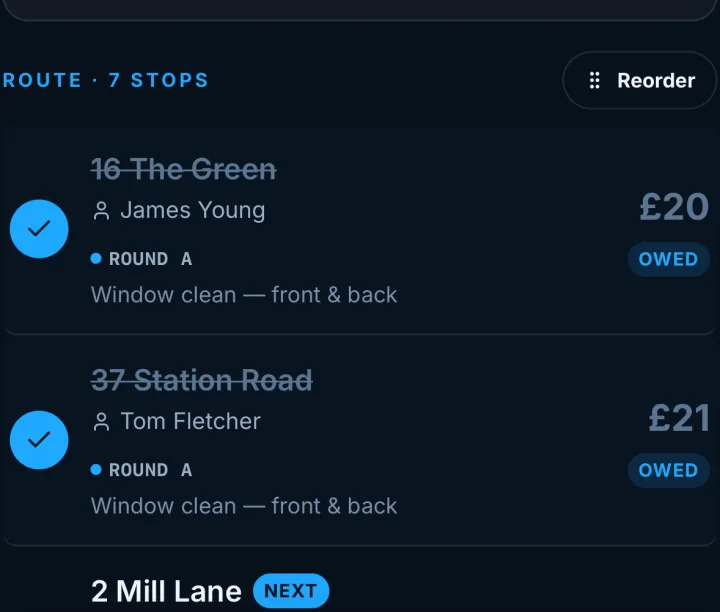
Open it and the day is already sorted.
No planning first. Every job due today is there in the order you actually drive it, not alphabetically, with the weather across the top so you know what is coming. Tick a job at the gate and it is done. The money side updates itself, so there is no second job waiting for you later.
- Your own running order, not an alphabetical list
- Mark it done, and paid if they paid, without leaving the job
- Skip a clean at the van door in two taps
Today looks after itself. Tuesday is the one that catches people out.
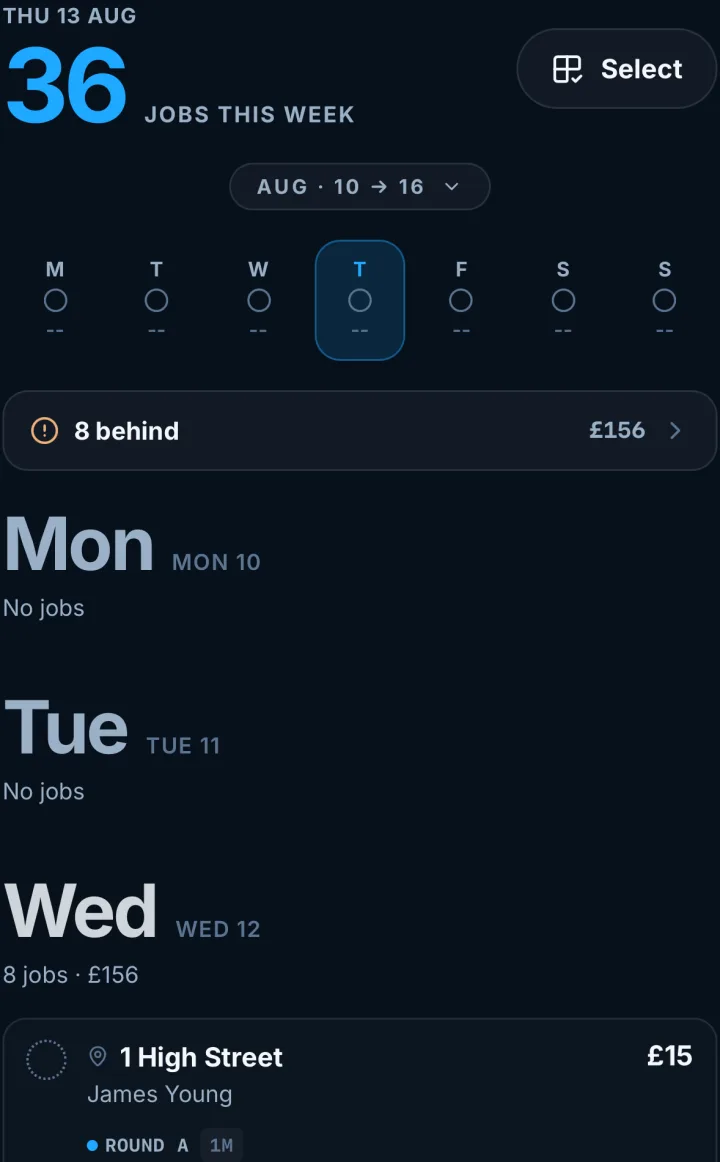
You can see Tuesday coming.
The week lays out day by day, with totals, so a heavy Tuesday is something you spot on Sunday rather than something you stand in. Move work about, or pull tomorrow forward when the forecast turns.
- 4-weekly, 6-weekly, 8-weekly, every 2 months, one-offs
- Keep a street on the same day, or run each customer from their last clean
All of which holds until the week goes wrong.
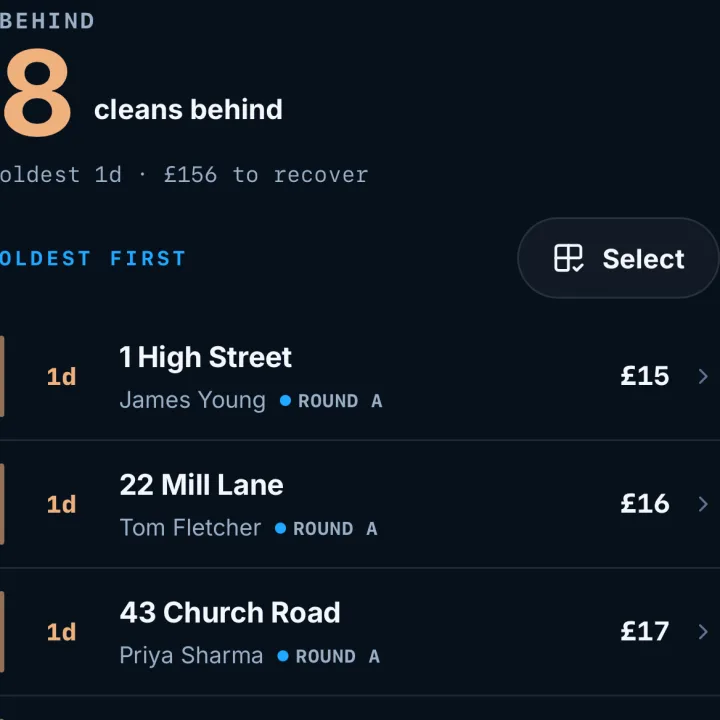
Falling behind does not lose you money.
A lost week used to mean a mess. Now every clean you could not get to collects on the Behind screen, oldest first, with the total sitting at the top so you know exactly what the week owes you. Pick a day and move a batch across.
- Oldest first, so nobody waits eight weeks by accident
- The total to recover, in pounds, at the top
- Move a handful onto Thursday in one go
- Nothing is deleted, so nothing is forgotten
The work is safe. Now comes the harder half: the money.
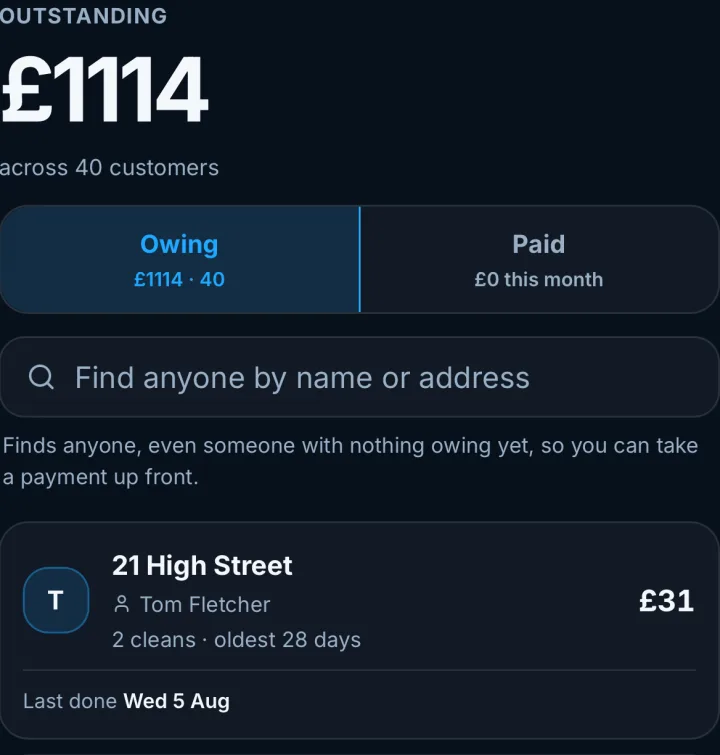
Who owes what, to the penny.
This was the spreadsheet hour. Owing and paid sit side by side, adding themselves up as you tick cleans off. Record what actually landed, cash at the gate, a bank transfer, a cheque, and place it against the cleans it covers.
- Owing and paid totals that agree with your bank
- Cash, transfer or cheque, against the cleans it covers
That is the money. The rest of the week lives in your head.
The stuff you keep in your head.
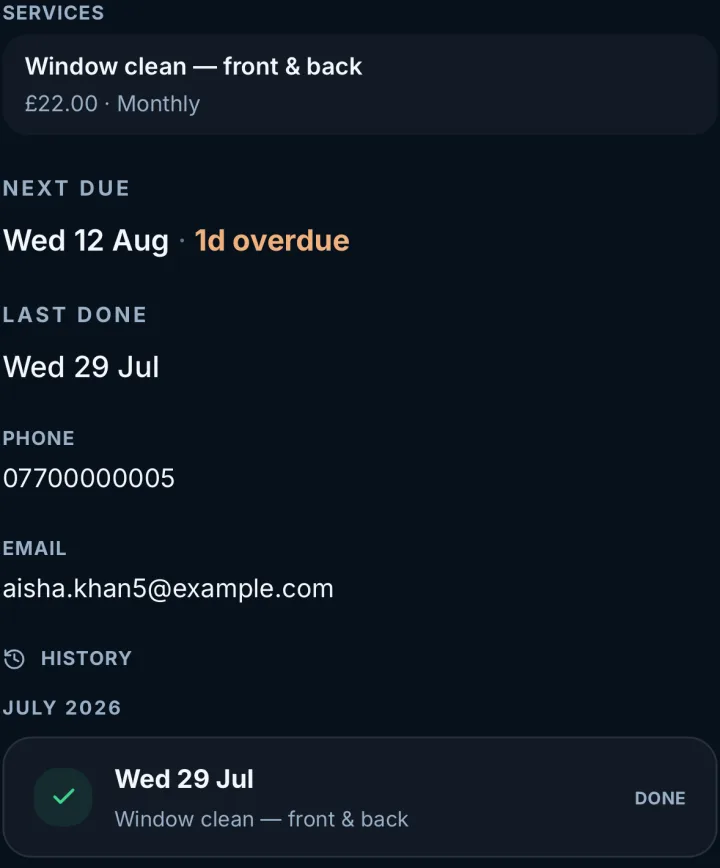
Every customer has one page: their cleans and their payments together, newest first, plus the things that only matter when you are stood at the gate. Gate codes, the dog, which name the bank transfer arrives under, whether to knock loud.
- Cleans and payments in one list, newest first
- Notes that show up when you need them
- Search by name or address, however you wrote it
One last thing, and it is the one people assume will be a problem.
Any device. Any weather. No app store.
RoundWiz runs in the browser and installs to your home screen, so it behaves like an app without you ever visiting an app store. iPhone, Android, a tablet in the van, the computer at home in the evening. Same round, same data, nothing to keep updated.

There when you need it.
None of this needs setting up on day one. The round and the money work without it, and when you want more, it is already in the app.
Direct Debit
Your customer signs up once, on GoCardless’s own pages. After that, marking a clean done can collect the money from their bank. It goes to your own GoCardless account, and RoundWiz never holds a penny of it.
Payment links
For anyone not on Direct Debit, send a one-off link for a single clean by text or WhatsApp, and they pay it from their bank.
Bank transfers and part payments
Download a statement as a CSV and RoundWiz suggests which customer each payment came from. You tick what is right, and next month it remembers who pays under which name. Part payments, tips and money paid up front all have somewhere sensible to go.
Tax time
Each quarter’s takings export in a file ready for your Making Tax Digital software or your accountant. Cash typed in on Monday still counts as Friday’s if that is when you took it.
Five screens, and none of them ask you to do admin.
That is the whole app, and you have just read all of it. Nothing hidden in a settings menu, nothing you have to configure before Monday works. Put one round in and walk a week through it. The screens make a lot more sense with your own houses in them.
No card needed. £7.99 a month after the trial, whatever size your round is.